6 min read
How to turn a whole wedding album into art
A wedding is not one photo. It is four hundred. Here is how restyling the whole set works, and what it costs.
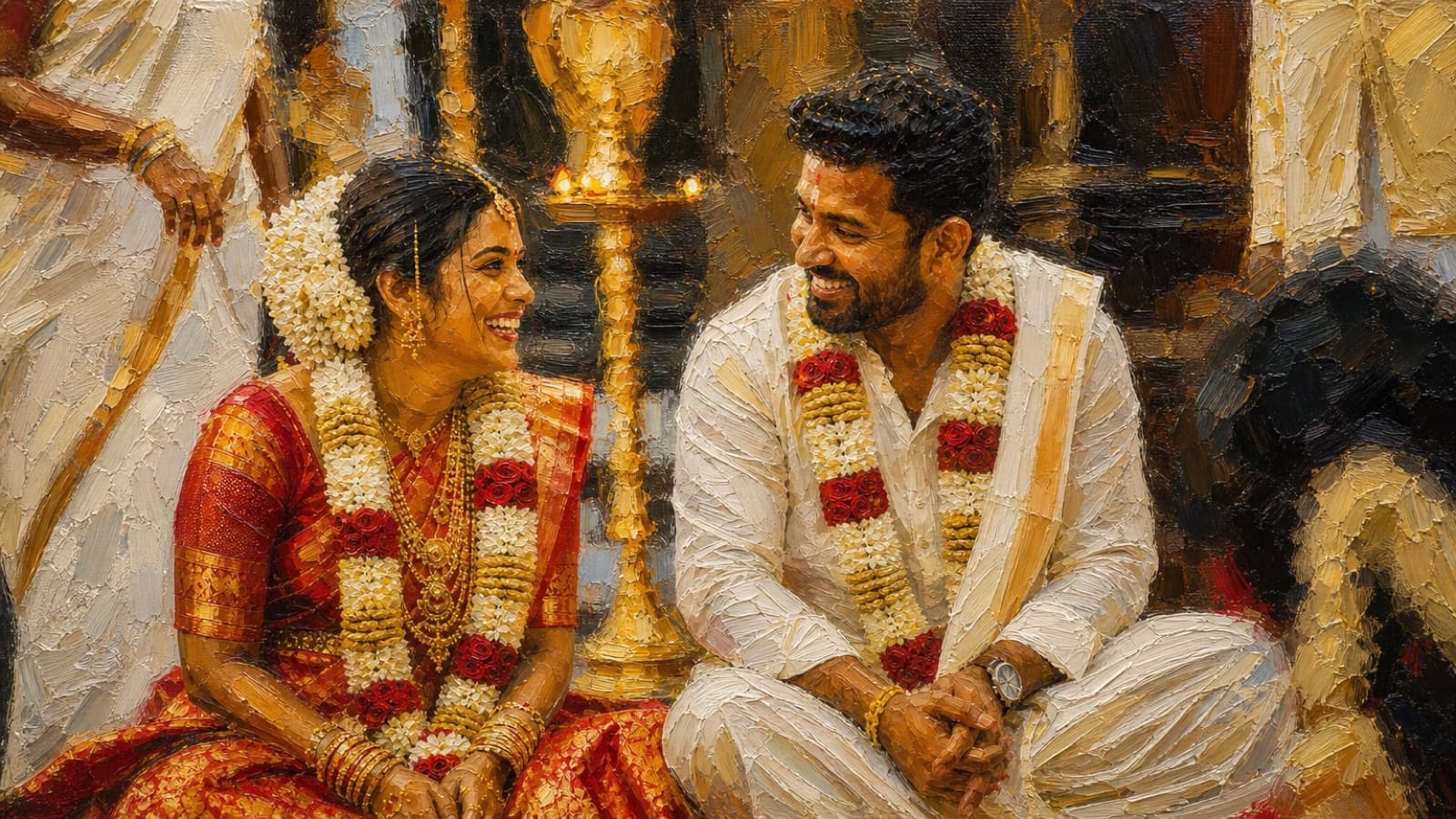
By the end of an Indian wedding you have more photographs than you will ever look at. The photographer sends a link, the relatives share their phone shots on the family group, and somewhere in there is a folder with the mehndi, the haldi, the pheras and the reception, all sitting in one long scroll nobody opens after the first week. The photos are good. The problem is that a folder is not a thing you can give to anyone.
PhotoCandy exists for the set, not the single picture. You upload a batch of photos from the wedding, pick one style, and every photo comes back rendered in it. Because the whole set shares one look and one colour treatment, the result reads as an album rather than a pile of edits. This article is about doing that with a real wedding, which means a lot of photos, a mix of light and settings, and a fixed idea of what you want at the end.
What restyling a whole album actually means
Restyling is not a filter laid over each photo. Each image is sent to an AI model that redraws it in the chosen style, keeping the faces, the poses and the moment, and changing the medium. A watercolour render of the varmala is still your varmala, drawn as if someone had painted it. A paper-cut render of the baraat is the same crowd and the same energy, cut out of layered paper.
The reason to do the whole album in one style, rather than picking a different look for each photo, is consistency. Fifty photos from the reception in one watercolour treatment feel like a book. The same fifty photos in fifty different styles feel like a settings menu. If you want variety, the honest way to get it is to run the mehndi in one style and the reception in another, so each event is internally consistent and the album still has range.
How credits work across a big batch
Credits are what rendering costs, and one credit renders roughly one photo at standard quality. Each style has its own price per photo, and premium quality costs more per photo than standard because more work goes into the detail. So the cost of an album is the price per photo multiplied by the number of photos, and a wedding is a lot of photos.
This is worth planning before you upload. If a style costs one credit per photo at standard and you have 90 photos from the reception, that album is about 90 credits. The pricing page has the current packs, but as a rough guide the Occasion pack is ₹999 for 150 credits, which covers a large album with room to spare. The create screen always shows the exact total and your balance before anything runs, so you never guess and nothing is spent until you confirm.
- Do the maths on the whole wedding, not one album. Add up the mehndi, the ceremony and the reception, then buy a pack that covers all of it in one go rather than topping up three times.
- Try a style before you commit the batch. New accounts get three free credits once the email is verified. Run three photos from the ceremony first, see the look on your own faces, then decide.
- Keep the one free re-render for the photo that matters. Every album includes one re-render in a different style at no credit cost. Spend it on the couple portrait you most want to get right.
Which styles suit weddings
Weddings are colourful, crowded and full of fabric and jewellery, so the styles that work best are the ones that carry colour and detail rather than flatten it. This is a matter of taste, but after seeing a lot of wedding photos go through, a few patterns hold.
Watercolour, for the soft and formal photos
Watercolour suits the couple portraits, the varmala, the vidaai, anything you would want framed on a wall. It keeps the reds and golds of a wedding without turning them harsh, and it forgives a slightly imperfect background because the whole frame is treated as a painting. It is the style most people reach for when the goal is something to print and hang.
Paper-cut, for the group and event shots
Paper-cut has a poster-like boldness that handles crowds well. The baraat, the sangeet dance floor, a big family line-up, all read clearly because the style simplifies into shapes and layers rather than fine detail. It is a good pick for the busy photos where a delicate style would get lost.
Anime, for the candid and the fun
The candid moments, the cousins clowning, the couple laughing between rituals, take well to anime, which leans into expression and movement. It is less suited to the formal portraits, but for the photos that are about feeling rather than composition it adds energy. The full set is on the styles page, where every style shows a real example.
Getting a good result from wedding photos
PhotoCandy restyles a photo, it does not retouch one. It will not open closed eyes, remove an uncle from the background or fix a blown-out mandap light. A restyled photo is only as good as the one you start from, so choose the photos you already like. Portraits and small groups with faces turned to the camera come back strongest. A wide shot where every face is fifty pixels across has less to work from, and it will show.
The photographer's edited JPEGs are the best source. Screenshots from the family WhatsApp group are the worst, because the app compresses them on the way through and the render inherits that softness. If you have a choice between the same photo from the photographer and from a forwarded chat, always use the photographer's file.
What you do with the finished album
Finished photos download at full resolution, ready to send or print. The common thing people do is pick eight or ten of the best renders and get them printed as a small album or a set of framed pieces, then share the rest of the set on WhatsApp with the relatives who were there. A restyled wedding album is also a genuinely good first anniversary gift, which is a whole use of its own.
If you want to see the exact order of steps, from signing up to downloading, it is laid out on how it works. And if you just want to try it, verify your email, take the three free credits, and run a few photos from your own wedding before you commit the whole thing.